Content Processing
Before a post reaches Shopify, Wash turns the WordPress content into HTML that works in a Shopify article. This page lists each step and the settings that control it.
How content processing works
WordPress post content
        ↓
Search & Replace rules for blocks and shortcodes
        ↓
WordPress renders the content (blocks, shortcodes, embeds)
        ↓
Rank Math FAQ blocks become accordions
        ↓
Custom HTML tags are wrapped so Shopify keeps them
        ↓
A duplicate title at the top is removed
        ↓
Image and file URLs point at the Shopify CDN
        ↓
Internal links point at Shopify URLs
        ↓
Search & Replace rules for text and URLs
        ↓
Shopify article body
Rendering
Wash sends the content as WordPress renders it on your site, through the normal the_content filter. Blocks, shortcodes and embeds come out as the HTML your theme would show, and other plugins' filters run too. A shortcode that only works on the front end of WordPress may render differently. Search & Replace can swap such shortcodes and blocks for Shopify-friendly HTML first.
URL rewriting
| URL | Before | After | Setting |
|---|---|---|---|
| Images and files | yourblog.com/wp-content/uploads/image.jpg | cdn.shopify.com/s/files/.../image.jpg | Upload Images on the Files & Media tab |
| Links to synced posts | yourblog.com/post-name/ | /blogs/news/post-name | Rewrite Internal URLs on the Sync Settings tab |
| Links to synced pages | yourblog.com/about/ | /pages/about | Rewrite Internal URLs |
Wash resolves each link by its path, so links that still carry an old domain (from a staging site or a previous host) are rewritten too. Links to posts that aren't synced, to other sites, and #anchor, mailto: and tel: links stay as they are.
Custom HTML tags
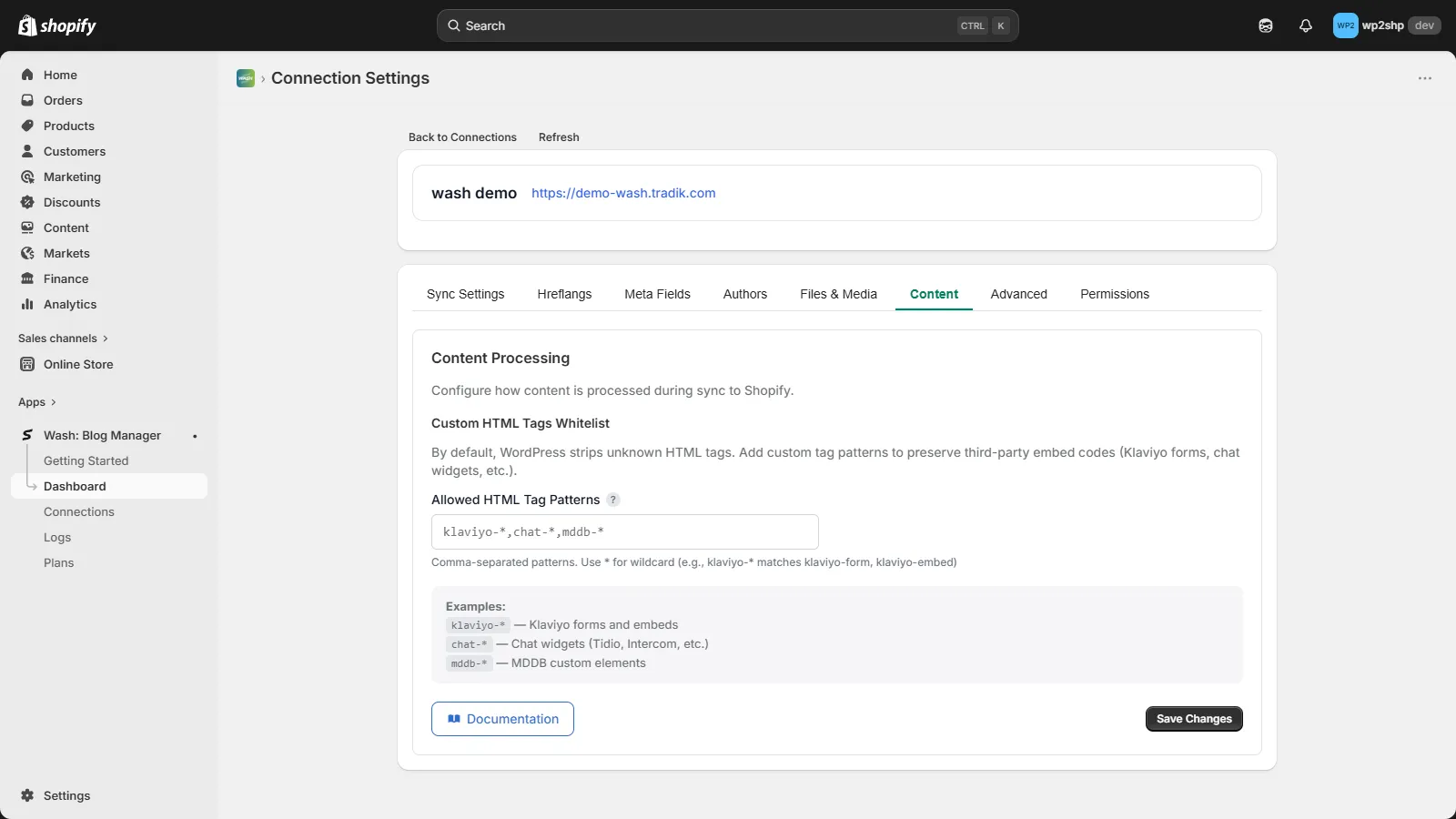
Shopify strips HTML elements it doesn't recognise, such as <klaviyo-form> or a chat widget's tag. To keep them, list them under Allowed HTML Tag Patterns:
- Go to Settings > Wash Connector and open the Content Processing tab
- Under Custom HTML Tags Whitelist, enter the tags as a comma-separated list.
*is a wildcard, soklaviyo-*matchesklaviyo-formandklaviyo-embed - Click Save Changes
klaviyo-*, tidio-chat, mddb-*
Wash turns each matching tag into a <div data-wash-tag="tagname"> with the same attributes, which Shopify keeps. A small script in your theme can turn them back into the original elements.
The list is empty by default. The same setting is in the Shopify app, under the connection's Settings > Content tab.
Rank Math FAQ blocks
Rank Math's FAQ block depends on Rank Math's own scripts, which don't exist in Shopify. With RankMath FAQ Blocks ticked (on the Advanced tab, on by default), Wash rebuilds each FAQ as a <details> accordion and adds FAQPage structured data, so the FAQ still works and still counts for search.
Duplicate title
Some themes and plugins add the post title to the start of the content. Shopify already shows the article title, so Wash removes a leading <h1> that matches the post title.
Block styles
Gutenberg blocks rely on WordPress's block CSS for layout. Include Block CSS on the Advanced tab (off by default) saves those styles in the wash_blocks.css metafield for your theme to load. The content itself carries only the block classes. See WordPress Blocks for the theme side.
Troubleshooting
A custom element disappeared
Add its tag to Allowed HTML Tag Patterns and sync the post again.
Links point to WordPress
- Check Rewrite Internal URLs is ticked on the Sync Settings tab
- The linked post must be synced to Shopify. Links to unsynced posts are left alone
- Sync the post again after syncing the posts it links to
Images point to WordPress
See Images & Files.
Embeds don't play
Shopify may remove iframes and scripts from article content, depending on the theme and the Online Store editor. Check the article HTML in the Shopify admin. For video, a Shopify section or a metafield the theme renders is usually more reliable.